
Choosing A Virtual Event Provider

Virtual events have become a very popular choice for event managers as an interim solution to the travel and socialisation restrictions during the coronavirus pandemic. For many event managers, it is an entirely brand-new world and even for those who are not new to virtual events, you’re fighting for virtual time against all the millions of video calls happening every day.

So, what can you do to make sure your event is the best possible experience for your delegates and your speakers? You can choose an experienced virtual events provider to support you.

Every great virtual event needs the following

  • Reliable, easy to use platform
  • Audio-visual equipment for speakers
  • Audience engagement
  • Registration management
  • Technical support for delegates

All of the above takes time and can be difficult to master alone. Today I’d like to take you through why you should choose a virtual events solution provider to assist with your virtual events.

1: Virtual Events Platform

This is the foundation of your event. There are many different virtual event platforms out there. From Zoom to Webex, but what you will find is that some organizations don’t allow a particular platform. If your delegate list is filled with these organizations, then you won’t have a great attendance rate and your stakeholders will not be happy.

A good virtual events solution provider will include an event platform that has full cross-platform capability which means that delegates can join from whatever platform they are most comfortable with and that is allowed within their organization.

In addition to being able to join from anywhere, delegates will want the platform to be reliable. I’m sure you have experienced it when you’re attending a virtual event and the app freezes or fails to load and you know your internet connection is stable. It can be very frustrating so a reliable and robust platform is essential.

Easy to use and intuitive are another two words you should associate with your virtual events platform provider. You’ll never hear a delegate compliment you on an overly complex and hard to navigate offering.

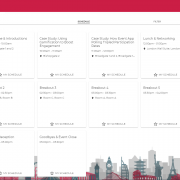
Sample Virtual Event Schedule

2: Audio Visual Equipment for Speakers

To really make your event stand out, invest in some audio-visual equipment for your speakers. Not only will they be seen and heard better, but they will feel more professional and energised by setting up the equipment and knowing that they are being supported and not left to fend for themselves. To step it up again, you could hire a small meeting room in the speaker’s home location and set that up as a studio with green screens, lighting, and more. This may even allow the speakers to feel like they are on stage and give them room to move around which will, in turn, keep the delegates’ attention better.

A good virtual events provider will be able to assist you with not only the equipment but also the logistics of getting to the speaker and assisting with set up.

3: Audience Engagement

Audience engagement is essential at a live event and even more so during a virtual event. This is for two reasons. It is easy to get distracted when you’re sitting at a computer watching an event and no one is checking to see if you are listening. And it is easy for a speaker to lose momentum when they aren’t getting instant feedback from their audience. We’ve written a whole blog post on what to do to keep your audience engaged so you can check that out here.

A good virtual events provider will help you to incorporate and facilitate your audience engagement efforts and encourage interaction from the attendees.

4: Registration Management

Managing the registration of delegates and responding to delegate queries is a time-consuming task and can take you away from more important items such as marketing your virtual event and generating more interest and registrations.

A good virtual events provider will provide registration management and delegate support coming up to and during the event. They will communicate to the delegates at certain times prior to the event to ensure attendance and after the event to get any feedback for improvements.

5: Technical Support During the Event

It is inevitable that a small number of delegates or speakers may have some technical difficulties during an event. This could be that a particular page isn’t loading, or a video stream has frozen, or it could be that their own computer has firewalls that won’t allow viewing of the event. These are all issues that require someone very familiar with these potential technical issues to get the delegates or speakers back up and running with the event as quickly and painlessly as possible.

A good virtual events provider with ensure that technical support is on hand to deal with these queries before and during the event.

So, when you go looking for a supplier for your next virtual event make sure to look for these key services and we hope that you’ll bring venuesworld.com into the mix as we’d love to demonstrate our comprehensive virtual events solution to you.

Interested in learning more about our Virtual Meetings and Events Solution?

5 Ways to Keep Your Virtual Audience Engaged

With the effects of Covid-19 sweeping across the globe, we have seen a dramatic change in the events industry with many conference planners forced to postpone or even cancel events. The uncertainty on when normality will resume has led event planners to make the switch to virtual events. It can be hard to keep people engaged during a live event so, how do we transition to the virtual world without sacrificing on audience engagement?

We have compiled our top tips on how to keep your attendees engaged during your virtual events!

Use Interactive Features

The use of live polling and Q&A open up discussion between the audience and presenters while helping to break down the communication barriers associated with holding events virtually. These features will allow your attendees to get involved in the sessions and participate similarly to how they would at a live event.

Give the Audience Tasks

Giving your audience tasks such as a survey or a poll to do at regular intervals provides attendees with a natural break from the speaker’s flow of conversation and allows them to shift their focus elsewhere for a short time. It can also help to prompt any attendees who may have been losing focus.

Consider Session Length

How long can people stay attentive until they tune out of what you are saying? If you want to drive engagement, avoid lengthy speeches and presentations. Many of us are now suffering from ‘Zoom Fatigue’, so it is important to minimise the amount of time you require participants to be online.

Choose Passionate Speakers

Your attendees will be more likely to engage with a knowledgeable, well-prepared speaker who is enthusiastic about the topic they are discussing. Speakers should consider using the minimal number of slides to get their point across to prevent fatigue. Regardless of if your event is virtual or physical, attendees will switch off if they feel the speaker is not prepared or is robotic in their delivery.

Enable Chat Features

Enabling the chat function for your event can allow for peer to peer communication & learning. This can sometimes be lost without the usual face to face connections. You can also open the chat function up to speakers to allow the conversations to continue even after the session has finished.

Interested in learning more about our Virtual Meetings and Events Solution?

5 Tips For Getting The Most From Attending A Virtual Event

Are you attending a virtual meeting or conference soon? Do you want to get the absolute most from the virtual event? Then read on, because today, we are going to share five tips to ensure you are prepared and ready for your next virtual meeting or event.

The events industry is constantly evolving and changing to keep up with current trends and demands. This can be seen now more than ever due to the current COVID 19 crisis which has rapidly led to a new trend within the sector: virtual events. Virtual events can come in many forms such as team building activities, meetings, conferences, networking events and so much more. These events are more important now than ever before because they allow a group of people to come together virtually rather than physically.

Event organizers have performed countless hours researching and preparing for these virtual events. However, delegates may be left wondering how to prepare or what to expect. Let’s find out what you can do to make it as enjoyable as possible.

Girl enjoying attending a virtual event, conference, or meeting

1. Stable Internet Connection

We all know how devastating it can be when your internet connection drops right in the middle of the most important message of the entire virtual meeting. One of the best ways to ensure your connection will be stable is to use an ethernet cable. Ethernet cables allow you to have a stable high-speed connection. They can be easily connected to your router. These cords are an inexpensive way to ensure your internet connection is stable throughout the event and you don’t miss anything important or thought-provoking!

2. Download and Read Pre-Event Materials

Similar to live events you may be asked to read documents, download slide presentations, or decide which seminars you wish to attend. Nothing gets you more prepared for a virtual event than planning our your schedule and knowing what the event organisers are offering. It’s very important to do this beforehand to ensure you make the most of their event. Also make sure to have a pen/paper, laptop, workspace, and other essential materials ready to go!

3. Contact Information

When attending events, conferences, and meetings it’s important to have business cards when meeting new connections for them to easily contact you afterwards. This is still important even when attending events virtually. More recently online business cards have become a popular option. This allows people to easily pass their information onto others in a virtual manner. These can come in many forms such as QR code cards, thumbnail cards or even scanned business cards. Ensuring your LinkedIn is up to date is also a great idea as the professional network is commonly used to connect with peers or other event attendees. If you have a QR code scanner on your phone, why not scan our QR code below to see what your virtual business card could look like.
QR Code Business Card

4. Networking

Events are great because they allow you to network and meet many different people. This is still possible during virtual events. A new concept is virtual coffee breaks, happy hours, and water-cooler chats. If your event has these breakout rooms be sure to join them. You can also easily create a video chat yourself using popular platforms such as Zoom, Microsoft Teams, and Skype. Create a link or two beforehand and send them to people you want to connect in more detail with after the virtual event. There are numerous ways to ensure you can still meet and connect with people. Virtual conferences are great because they allow you to meet people from the comfort of your home!

5. Have fun!

It’s important not to worry because everyone is new to online communication and connecting virtually. You may experience some bumps in the road while figuring out virtual events but be open-minded and have some fun. These are a great way to see familiar faces, create new connections, and learn new information.


Interested in learning more about our Virtual Meetings and Events Solution?

Hosting a virtual event is easier than you think!

The events industry as we know it has faced a mass of postponements and cancellations of group gatherings over recent months. More and more of us are pivoting to virtual to host our events online. COVID-19 has no doubt played its part in putting our virtual events to the test, on what has been, an extraordinary scale. However, hosting a virtual event does not need to be daunting. Virtual meetings, conferences, and teambuilding events are easier to put together online now, than ever before.

Types of virtual event

When planning for a virtual event, you can begin by considering the different types of virtual events that you can host in 2020. There is now an array of different types of event that can be brought to life and enjoyed together online.

Virtual meetings and events can still include speakers, plenary sessions, breakouts, team building, and even a virtual coffee dock. Choose a virtual event platform that allows you to integrate with your preferred video conferencing software to enhance the overall virtual experience, while still delivering key objectives for attendees and planners.

man attending virtual event


What to consider when planning your virtual event

When planning the content that will be delivered via the virtual events platform, it is important to remember that attendee engagement and opportunity for networking are still at the forefront of delivery, just like a live event.

With advances in online event technology, there are multiple ways to keep your attendees engaged.

  • Online Chat Function – Allow and encourage your delegates to interact with one another in the chat section throughout your event.
  • Networking Rooms – Provide delegates with breakout rooms that can be used for video networking.
  • Q&A – Provide anonymous Q&A functionality for anyone that might be a bit shy in asking a question.
  • Live Polls – It’s not just the audience that needs the interactions, your speakers need it too. Live polls allow them to get feedback during their event on the topic they are discussing.
  • Spot Prizes – Everyone likes to get something for free, so reward your most active delegates, the best question, etc with either an online voucher or something delivered to their home.

Prepare your attendees in advance of the virtual event taking place.

Ensure they know exactly how to navigate the virtual platform.

  • Send out a ‘Pre-event’ email with joining instructions and a virtual itinerary, this can help magnify engagement from the start.
  • Have a ‘go-to’ point available within the platform during the event, such as a dedicated help desk where team members are available to assist with any issues that might arise during the event, exactly like having a registration desk onsite.
  • Never assume that all attendees will be ‘tech-savvy’ so make break instructions down and make it as user friendly as possible.
  • It is also vital to dedicate time for rehearsals, to ensure all key speakers know their cue for appearing on screen, particularly when sessions are live and of course that everyone is comfortable using any equipment if recording or broadcasting content from their own home.
  • Follow up with your attendee’s post-event, having a survey prepared and encouraging attendees to complete this survey before they log off the virtual platform is a great way for collecting feedback, ensuring, you as the planner can learn moving forward, knowing exactly how to make your next virtual event even bigger and better!

Virtual meetings and events are now an essential part of business. If you don’t move forward with this ‘new norm’, you may just get left behind. People still need to meet, explore, learn and enjoy the company of others. By going online, you open up your events to a global audience. Whether it’s searching for a short-term solution or a longer-term strategy, there is a wealth of resources and options available to go virtual, so the question is, are you ready??


Interested in learning more about our Virtual Meetings and Events Solution?